
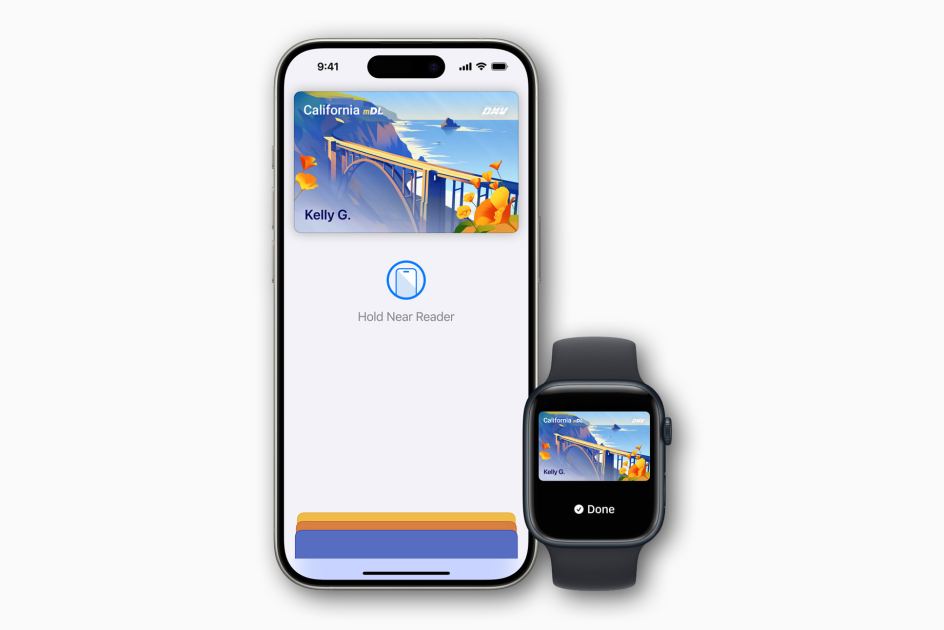
Macworld Apple added the capability to add digital state IDs or driver’s licenses to Apple Wallet years ago, with the very first supporting states announced back in 2021. It’s a standards-based approach (ISO 18013-5) that is meant to be more secure and private than physical identification, as well as finally closing one of the last loopholes that make people unable to leave the house without their wallet. If your state doesn’t support driver’s licenses in Wallet (or you don’t have a driver’s license), but you have an active passport, you can now add a Digital ID to your Apple Wallet. Updated May 27, 2026: Arkansas has announced that it now supports driver’s licenses and state IDs in Apple Wallet. Add your driver’s license or ID to Apple Wallet Adding your driver’s license or ID to Apple Wallet is simple, just follow these steps: Open Wallet Tap the “Add” (+) button in the upper-right corner. Tap Driver’s License or State ID and s
UPVOTERS
Community appreciation
See who found this content valuable and showed their support.
No upvotes yet.
Be the first to show your appreciation for this content.
TOPICS
Explore the same topics
Discover more content from the topics this post is mapped to.
Keep browsing
Explore more from this topic
Dive into the full feed of curated posts covering this category.
Discussion
Leave the first comment
Be the first to leave a mark on this discussion.